
MarginPrint runs the shop.
Mission control for small 3D-print sellers — the production queue, true costs, and your customers on one mobile screen.
Queue, cost, stats.
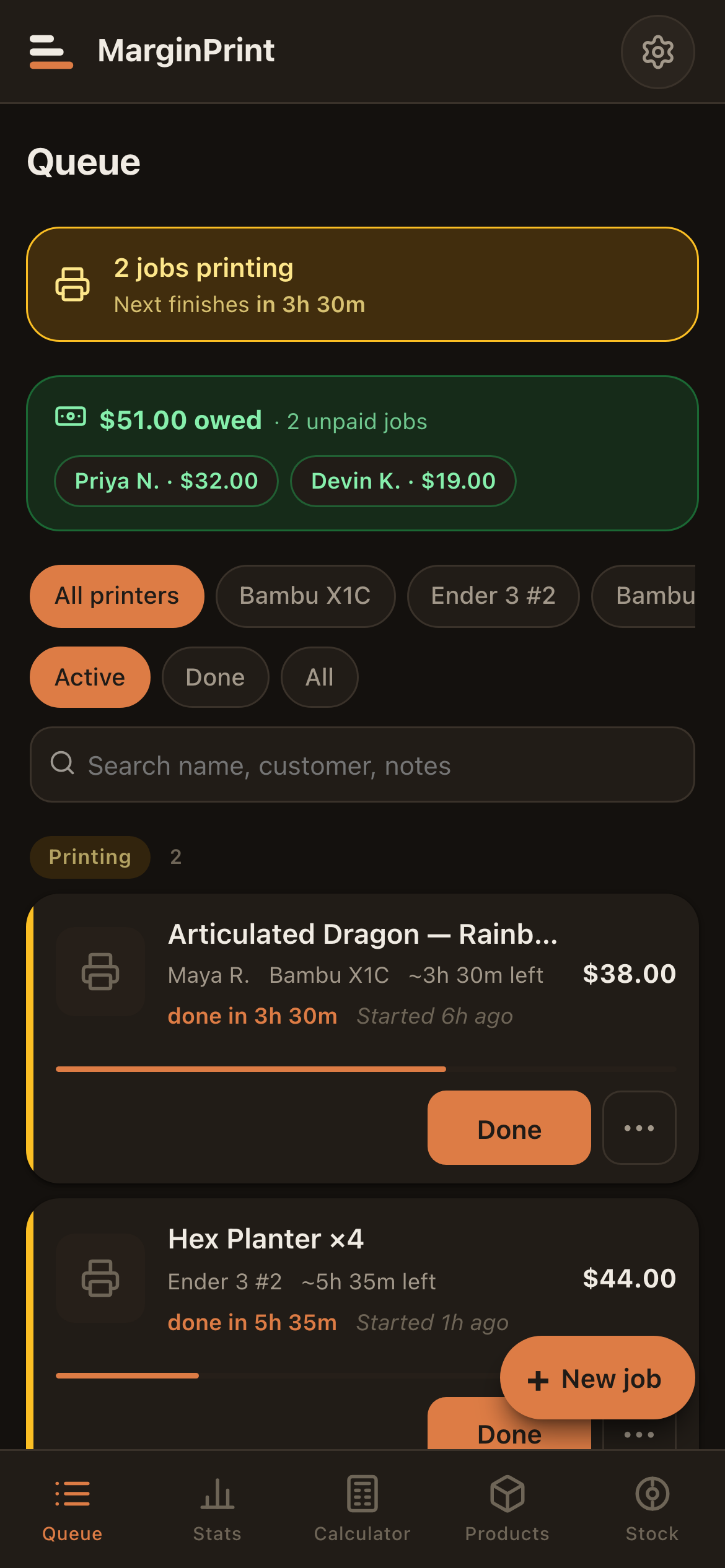
The queue, all day.
MarginPrint keeps the queue, the costs, and your customer list on one screen. Most people open it 5–15 times a day, so it is built for that rather than for a once-a-print visit.
A cost calculator answers one question and closes. These are the other questions that come up between slicing and shipping:
- — What's printing right now?
- — Which jobs are queued, and on which printer?
- — Who owes me money, and how much?
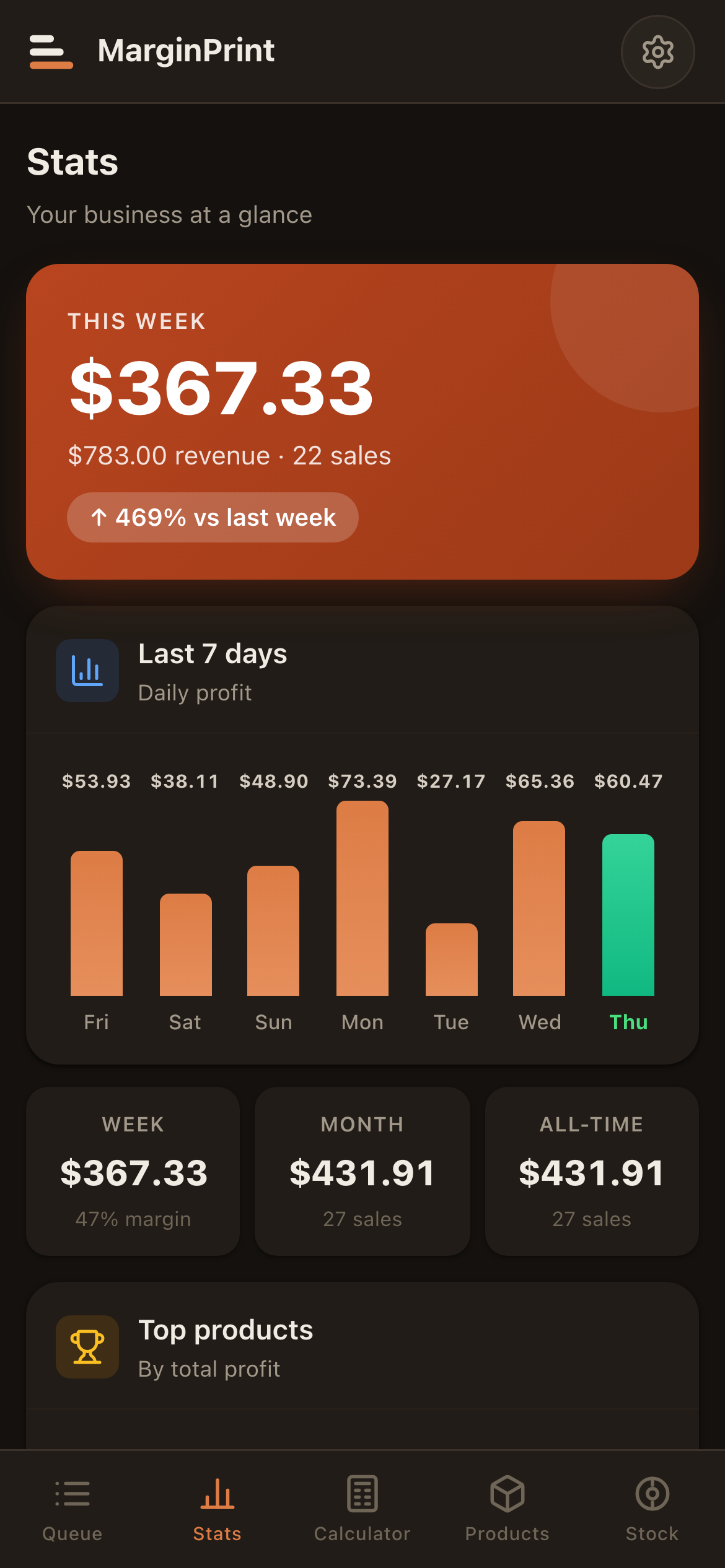
- — What did I actually clear last week?
It runs on your phone, next to the printer, and keeps your place when you switch away.
File to paid job.
MarginPrint is a tool for the moments between slicing and shipping. Here is what the day looks like.
Drop in a slicer file.
Export from PrusaSlicer, OrcaSlicer, or Bambu Studio. Drag the .gcode or .3mf onto the calculator. MarginPrint reads the file directly — print time, filament weight, layer count — and fills them in. Drop one here to see it work.
Cost math runs itself.
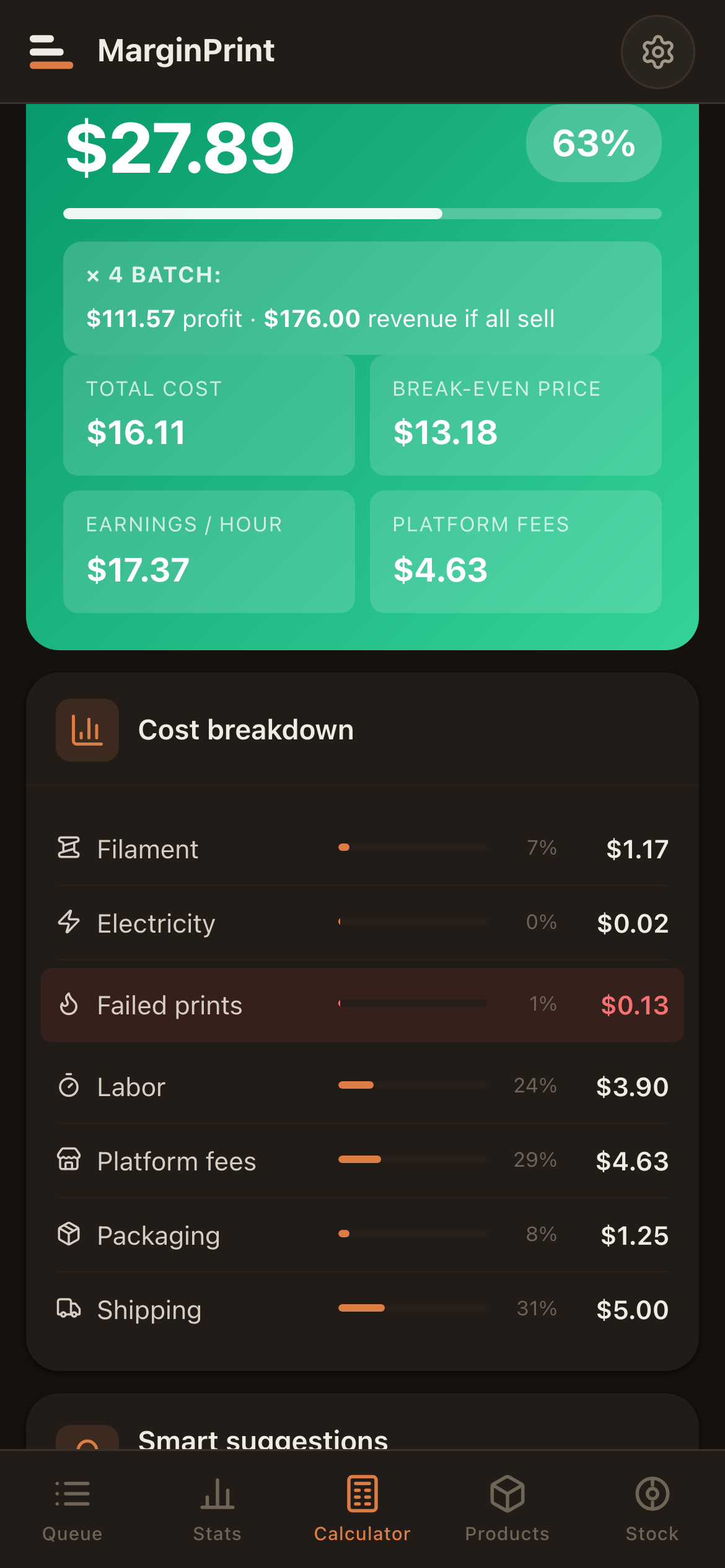
Filament, electricity, machine depreciation, labor, failure-risk buffer, platform fees. The math runs on every keystroke. Override any line if your shop is different from the defaults.
- Filament$0.22
- Electricity$0.01
- Failure buffer$0.03
- Labor$1.25
- Platform fees$1.88
- Packaging$0.75
One tap moves the job.
Every job has a state. Tap to advance it. Quoted, queued, printing, post-processing, ready, delivered. The queue colors update, the timestamps stamp themselves, the dashboard knows what you owe.
More than a calculator.
A second opinion.
The AI feature reads your numbers — material, fees, margin, platform, even the failure rate you put in — and writes a few short paragraphs on what to change. Not a pitch deck. A pair of eyes from someone who has seen a thousand listings.
Written by Claude, an AI assistant from Anthropic (think ChatGPT). Included with a subscription — no account to create, no API key, nothing to set up, up to 40 analyses a day. The figures from that one calculation are sent to be analysed; your customers, notes, and history never leave your device.
Honest pricing, no tiers.
Start free with one printer. Upgrade for the full app whenever you're ready — no asterisks. Pick the cadence that fits your shop.
Launch pricing — lock the founding lifetime price before it goes up
Everything you need to price one printer.
- —1 printer
- —Full cost calculator, with the maths explained
- —Basic queue · up to 5 active jobs
- —Business analytics
- —JSON backup / restore
- —Local data, works offline
The full app, month to month. Cancel anytime.
- —Everything in Free
- —Unlimited printers
- —Slicer file ingestion (.gcode / .3mf)
- —Unlimited active jobs
- —AI pricing analysis · nothing to set up
- —All future updates
The full app, paid yearly. Most chosen.
- —Everything in Free
- —Unlimited printers
- —Slicer file ingestion (.gcode / .3mf)
- —Unlimited active jobs
- —AI pricing analysis · nothing to set up
- —All future updates
Buy it once. Updates forever.
- —Everything in Annual
- —Pay once, no renewals
- —Founding-user pricing
- —Direct line for feature requests
- —A thank-you from a solo maker
The honest answers.
Where does my data live? Is it safe?
On your device — full stop. MarginPrint is local-first: your jobs, customers, costs, and prices are stored in your own browser and never sent to a server. There's no central database of your business to leak. You can export a full backup anytime, and nothing is ever sold or shared.
Do I need to be online?
No. The app works offline — useful when you’re standing next to a printer with bad Wi-Fi. Everything runs on your device; there’s nothing to wait on.
What’s the AI analysis — and what’s Claude?
Claude is an AI assistant similar to ChatGPT, made by a company called Anthropic. MarginPrint sends it your cost numbers and gets back short, specific pricing advice — what to charge, where you are leaving money on the table, what to change this week. It is included with any paid plan: nothing to set up, no account to make, no key to paste, and no extra cost on top of your subscription (up to 40 analyses a day). Skip it entirely and the queue, costs and everything else still work.
Which printers and slicers does it work with?
Any of them. Drag in a .gcode or .3mf exported from PrusaSlicer, OrcaSlicer, or Bambu Studio and MarginPrint reads print time, filament weight, and layer count directly. Curated presets cover common machines (Bambu A1 / P1S / X1C, Prusa MK4, Ender 3, and more) so setup takes a minute, not an evening.
Is it an app I install?
It’s a web app you can install. Open it on your phone and “Add to Home Screen” — it runs full-screen like a native app, works offline, and updates itself. No app store, no download, works on iPhone and Android.
Can I cancel? What about refunds?
Cancel anytime — the free tier keeps working for one printer, forever. Payments are handled by Lemon Squeezy (your card details never touch us), and refunds go through them.
Is MarginPrint finished, or still changing?
MarginPrint is live — you can start free today, no account needed. It's a young v1 from a solo maker, so it keeps improving fast, and the founding lifetime price is the lowest it'll ever be before it goes up.
Your shop, one screen.
MarginPrint is available now — start free, no account, no login. Upgrade to the full app whenever you're ready; lock the founding lifetime price before it goes up.